


Microsoft Office 365 Personal License at a Reasonable Price
Original price was: € 109,99.€ 59,99Current price is: € 59,99.
Our Benefits
Get all Office programs
1 TB of cloud storage with OneDrive
Receive via email within 5 minutes
Share documents with anyone
Guaranteed 100% activation
Microsoft Office 365 Personal – 1 year
Microsoft 365 Personal is the latest version of Office 365 Personal. It includes a full set of cloud-based applications.
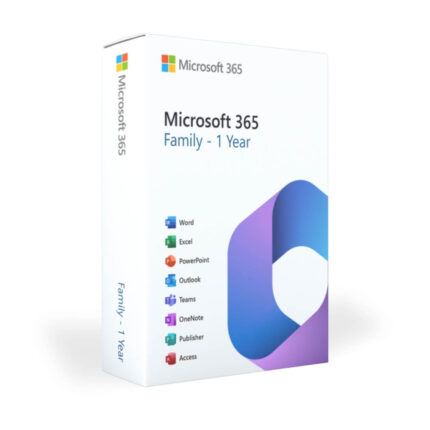
You get Word, Excel, Powerpoint, Outlook, OneNote, Publisher, and Access.
You also get 1tb of OneDrive storage,
Online security, and
1-year license for
1 user.
This license is excellent for people who need a robust, personal work environment. You get 1 TB of OneDrive storage, making it easy to store and share documents and files in the cloud securely.
The system requirements for Microsoft Office 365 Personal
Before purchasing Microsoft Office 365 Personal, it’s important to check if your device meets the minimum system requirements. This is necessary to ensure that your device is compatible with the software and to ensure optimal performance. The required specifications are as follows:
– Your operating system should be Windows 10, Windows 11, macOS, or a newer version.
– Your processor should have a minimum speed of 1 GHz (32- or 64-bit).
– You need at least 2 GB of RAM.
– For PC, you need at least 4 GB of available storage, and for Mac, at least 10 GB (SSD is recommended).
– The minimum display resolution required is 1280 x 768 pixels.
– An internet connection is necessary for installation, activation, and access to cloud features.
For the best performance, it is advisable to ensure that you have a stable and continuous internet connection. This is important for accessing cloud-based services and receiving real-time updates.
Microsoft 365 Personal Overview
Microsoft 365 Personal helps you work more efficiently and complete personal projects. It includes applications like Word, Excel, and PowerPoint for creating high-quality documents, comprehensive spreadsheets, and engaging presentations. Outlook also helps you manage emails and calendars effectively for personal organization.
Microsoft 365 Personal allows you to easily share and collaborate on documents with others from anywhere. This makes it simple to work together with colleagues or friends in real time, helping you to be more productive.
Microsoft Office 365 Personal includes tools to protect your personal information, such as multi-factor authentication, Information Rights Management (IRM), and Data Loss Prevention (DLP). These tools help prevent unauthorized access to your personal information.
Microsoft Office 365 Personal is a powerful and reliable software package designed for individuals who need advanced features to improve their work. By subscribing, you’ll always have the latest features and security updates. Just make sure your device meets the minimum requirements to use the software to its full potential.
After you buy Microsoft Office 365 Personal, we will email you the activation code. If you don’t see the code in your inbox, please check your spam folder. You should receive the code within 15 minutes.
Activate and install Microsoft Office 365 Personal.
To activate and install Microsoft Office 365 Personal, visit the official Microsoft website at https://setup.office.com/. It's important to note that Licenties.eu does not own the software you download; it is developed and distributed by Microsoft.
To set up Microsoft Office 365 Personal, follow these steps:
1. Sign in or create a new Microsoft account.
2. Enter your product license.
3. Download Microsoft Office 365 Personal.
4. Install the program.
How can I obtain Microsoft Office 365 Personal?
If you can't download Microsoft Office 365 Personal directly during activation, you can log in to your Microsoft account to download the software. You can do this by visiting https://account.microsoft.com. In this case, the software you download also belongs to Microsoft.
To get Microsoft Office 365 Personal, follow these steps:
- If you don't have a Microsoft account, you can create one by following the instructions in the "How to activate and install Microsoft Office 365 Personal" guide.
- After creating your Microsoft account, log in to https://account.microsoft.com.
- Once logged in, go to the "Services & Subscriptions" section.
- Find and download Microsoft Office 365 Personal from the "Products you have purchased" category.

contact@licenties.eu –
Checked by Licenties.eu.